Voice typing for Windows 11 and 10
Voice typing for Windows 11 that types as you speak
Press a hotkey in almost any app and talk. Your words appear at your cursor phrase by phrase, about a second after each pause, in 90+ languages. Switch windows and typing pauses, so nothing lands in the wrong place.
- No card needed
- Then 10 free minutes every month
- Audio not stored on our servers
Already have Win+H?
Compared with built-in voice typing
Windows 11 comes with voice typing: press Win+H in a text field and talk. It's free and built in, and for a quick note it may be all you need. winWhisper is for when you dictate every day and want your names spelled right, your past dictations at hand and AI to tidy up the result.
| Feature | winWhisper | Windows voice typing (Win+H) |
|---|---|---|
| Price | winWhisper14 days of Pro free, then 10 free minutes every month. Pro $4.99/month or $39/year | Windows voice typing (Win+H)Free, built into Windows |
| Custom word list | winWhisperUp to 100 names and terms, free for everyone | Windows voice typing (Win+H)No |
| History | winWhisperLatest dictations one click away on the pill. Search your last 500 entries | Windows voice typing (Win+H)No |
| AI Rewrite | winWhisperSelect text in any app, press a hotkey, pick a style: Formal, Friendly, Concise, Translate and more | Windows voice typing (Win+H)No |
| Languages | winWhisper90+ in Live, 60+ in Classic | Windows voice typing (Win+H)See Microsoft's list of supported languages |
How It Works
Start using your personal speech to text app in minutes with this simple process
Install from the Microsoft Store
One click, and winWhisper waits in your system tray
Sign In with Browser
Create a free account, then click “Sign in with browser” in the app — it connects itself, nothing to copy
Press the Hotkey and Talk
In any app, press your hotkey and speak. Your words appear where you type
What you get
Write by talking, in any app
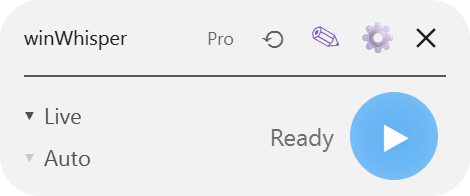
A small pill on your desktop and two hotkeys. No windows to switch, nothing to copy and paste.
Live: it types while you talk
Press your hotkey in any app and speak. Your words appear at the cursor phrase by phrase, in 90+ languages. Prefer to check first? Switch Live to show the text and insert it when you stop.
Classic: record, then get clean text
For longer thoughts. Record, and get the text back exactly as said, cleaned up, polished, or following your own instruction, in 60+ languages.
AI Rewrite for any text
Select text anywhere and press a hotkey to fix grammar, change the tone, shorten, translate, or turn it into an email. Your styles and formats are editable.
Your names, spelled right
Add custom words — people, places, products, jargon — and winWhisper spells them your way. Free for everyone, up to 100 words.
Everything you said, one click away
The ⟲ button on the pill shows your latest results; click one to insert it again. History stays on your PC and searches everything, accents included.
Write as Me, in the app and in Claude
winWhisper can learn how you write. Then AI Rewrite, and AI tools like Claude through the winWhisper MCP server, draft text that sounds like you (Pro).
90+ languages · custom words
Your language. Your names.
Most dictation tools are built for English and stumble on everything else. winWhisper works in 90+ languages, and your custom words make sure the names that matter come out right: č, š, ž, ü, ñ and all.
Add them once in the app or on your dashboard; they work in Live, Classic and AI cleanup.
Zoë and José met Søren in São Paulo yesterday to go through the Müller & Partner contract together.
Questions
Is winWhisper free?
New accounts get 14 days of Pro free, no card needed. After that you keep 10 free minutes every month. Pro is $4.99/month or $39/year and includes unlimited Classic dictation and AI Rewrite, 300 Live minutes a month, and Write-As-Me.
Does it work on Windows 10?
Yes. winWhisper runs on Windows 10 or later (64-bit) and installs from the Microsoft Store.
Which apps can I dictate into?
Almost any app where you can type: email, chat, documents, the browser, code editors. Live types at your cursor as you speak; Classic pastes the finished text when you stop.
Do I need an internet connection?
Yes. Transcription runs online, so winWhisper needs a connection. Your audio is not stored on winWhisper servers, and your History stays on your PC.